

SNOM vient de publier un Livre blanc "comprendre la télephonie autour de MS Lync snom UC Edition - Un pas en avant "
Vous pouvez le télécharger ici: http://www.snom-communication.fr/livreblanc/snom_Livre-Blanc_2014-11_draft4.pdf

SNOM vient de publier un Livre blanc "comprendre la télephonie autour de MS Lync snom UC Edition - Un pas en avant "
Vous pouvez le télécharger ici: http://www.snom-communication.fr/livreblanc/snom_Livre-Blanc_2014-11_draft4.pdf
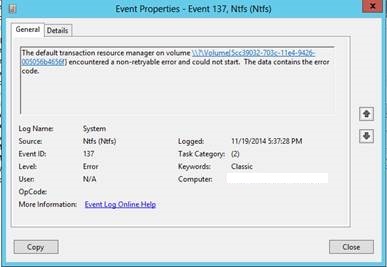
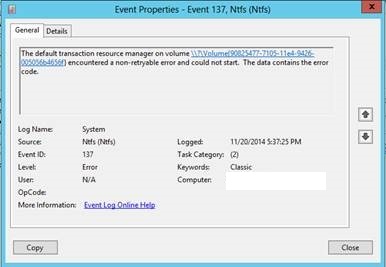
Suite a un reboot du serveur Front-End, on a constaté l'erreur suivante hier soir lors d'une banale opération de maintenance:
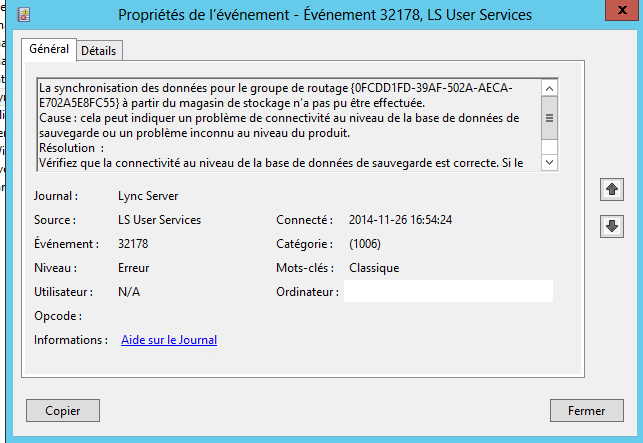
Suivi du log:
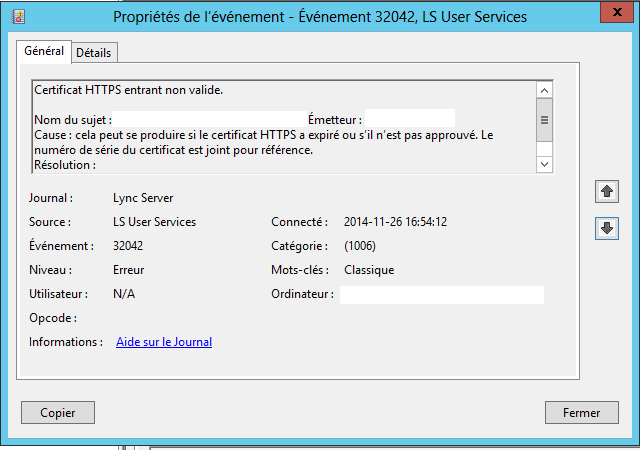
Une rapide recherche sur internet remonte un article microsoft associé à cette erreur:
http://support.microsoft.com/kb/2795828/fr
Ce problème se produit car un certificat qui n'est pas signé automatiquement a été installé dans le magasin d'Autorités de Certification racine de confiance . Il s'agit d'une configuration incorrecte peut provoquer les communications HTTP entre serveurs Lync échoue avec une erreur de certificat racine non fiable. Déploiement de Lync Server 2013 dans Windows Server 2012 peut rencontrer ce problème dans la mesure où Windows Server 2012 implémente des chèques pour un niveau supérieur de confiance pour l'authentification par certificat.
La commande permet d'identifier rapidement le certificat fautif:
Get-Childitem cert :\LocalMachine\root-Recurse | Where-Object {$_.L'émetteur - ne $_.Objet} | Format-List * | Out-File "c:\computer_filtered.txt"
Résultat:
Thumbprint : B975811DDA15107EF5E0DC28141C7B938EBE4C26
Version : 3
Handle : 986655873888
Issuer : CN=Entrust.net Secure Server Certification
Authority, OU=(c) 1999 Entrust.net Limited,
OU=www.entrust.net/CPS incorp. by ref. (limits
liab.), O=Entrust.net, C=US
Subject : CN=Entrust.net Certification Authority (2048),
OU=(c) 1999 Entrust.net Limited,
OU=www.entrust.net/CPS_2048 incorp. by ref. (limits
liab.), O=Entrust.net
Positionner l'Intrus dans le magasin des certificats intérmédiaires, et cela devrait fixer votre problème.
Microsoft vient de publier une nouvelle mise à jour pour Lync Serveur 2013.
KB 2809243: http://www.microsoft.com/en-us/download/details.aspx?id=36820&WT.mc_id=rss_alldownloads_all
Version: (5.0.8308.834)
Date: 20 novembre 2014
Mises à jours informations:
Résolus:

SNOM a annoncé cette semaine le lancement du module d'expansion D7 pour les modèles séries 7XX.
Compatible avec les firmware UC Edition, il sera vendu prix liste pour $139.
Fonctionnalités:

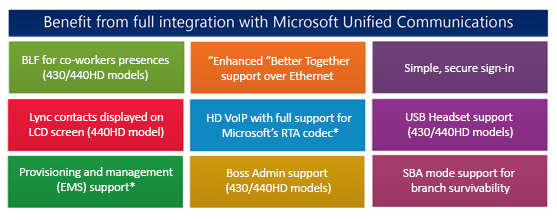
La fonctionnalité BTOE (Better Together over Ethernet ) améliore l'expérience de l'utilisateur unifiée en donnant la capacité de contrôler le téléphone via son client de communication unifiée Lync depuis son poste de travail.
Le BTOE permet des usages comme déclencher, répondre ou terminer a un appel sur le téléphone ip via son client Lync, rejoindre et gérer une conférence Lync par l'installation d'une application sur le poste de travail de l'utilisateur.
1- Introduction
Micro-logiciel utilisé dans cette installation étape par étape:
Les modèles de téléphones SNOM compatibles:
Lors de ce test, la version d'application téléchargeable est AudioCodes Better2Gether 0.0.0.10.exe, la version de firmware est UC440HD_2.0.7.71.
2- Installation de l'application BTOE:
Après téléchargement sur le poste de travail:

Il s'agit simplement d'une installation du type next, next, next.


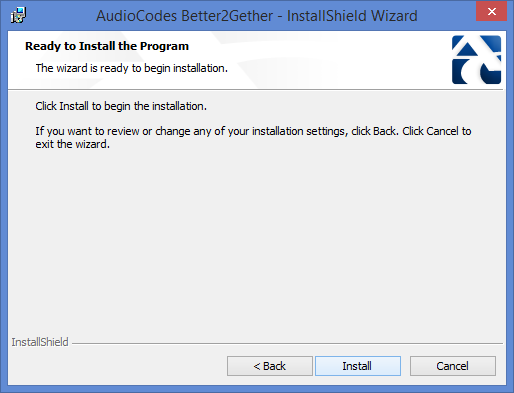
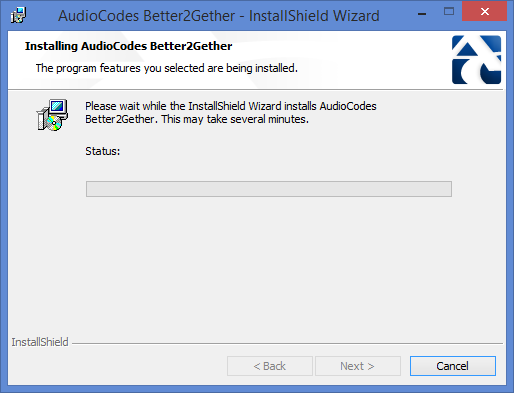
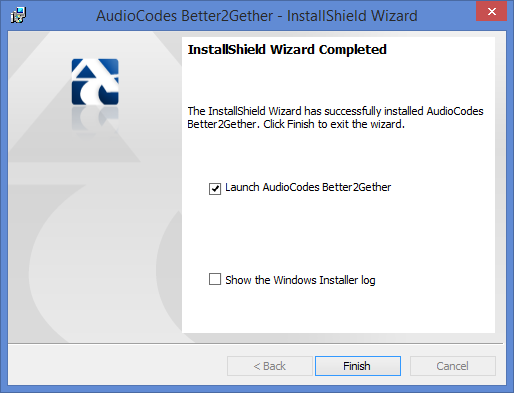
Vérification:
Le programme devrait maintenant être visible dans la barre des tâches:

Vérification de la version:
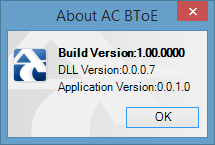
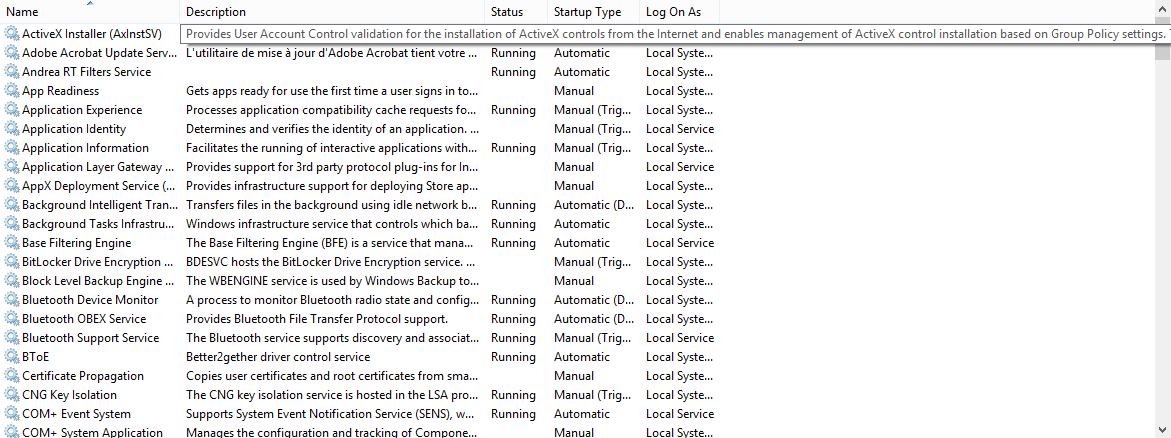
Dans Control Panel>Programs>, le service BToe est maintenant visible:
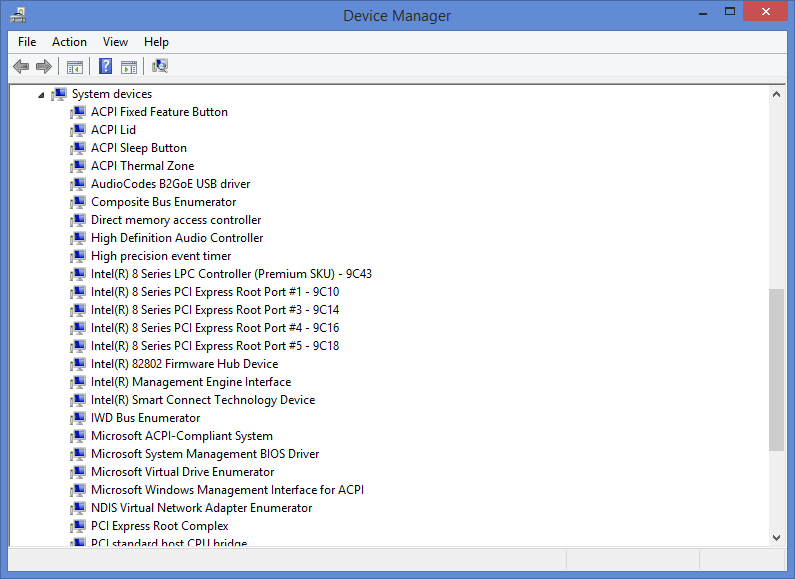
Dans le device manager, vous pouvez voir le driver:
2 - Installer le nouveau micro-logiciel sur le téléphone:
Dans cette exemple, le micro-logiciel sera installé manuellement.
Connexion sur l'interface web du téléphone (Menu- Status - Network pour connaître l'adresse IP):

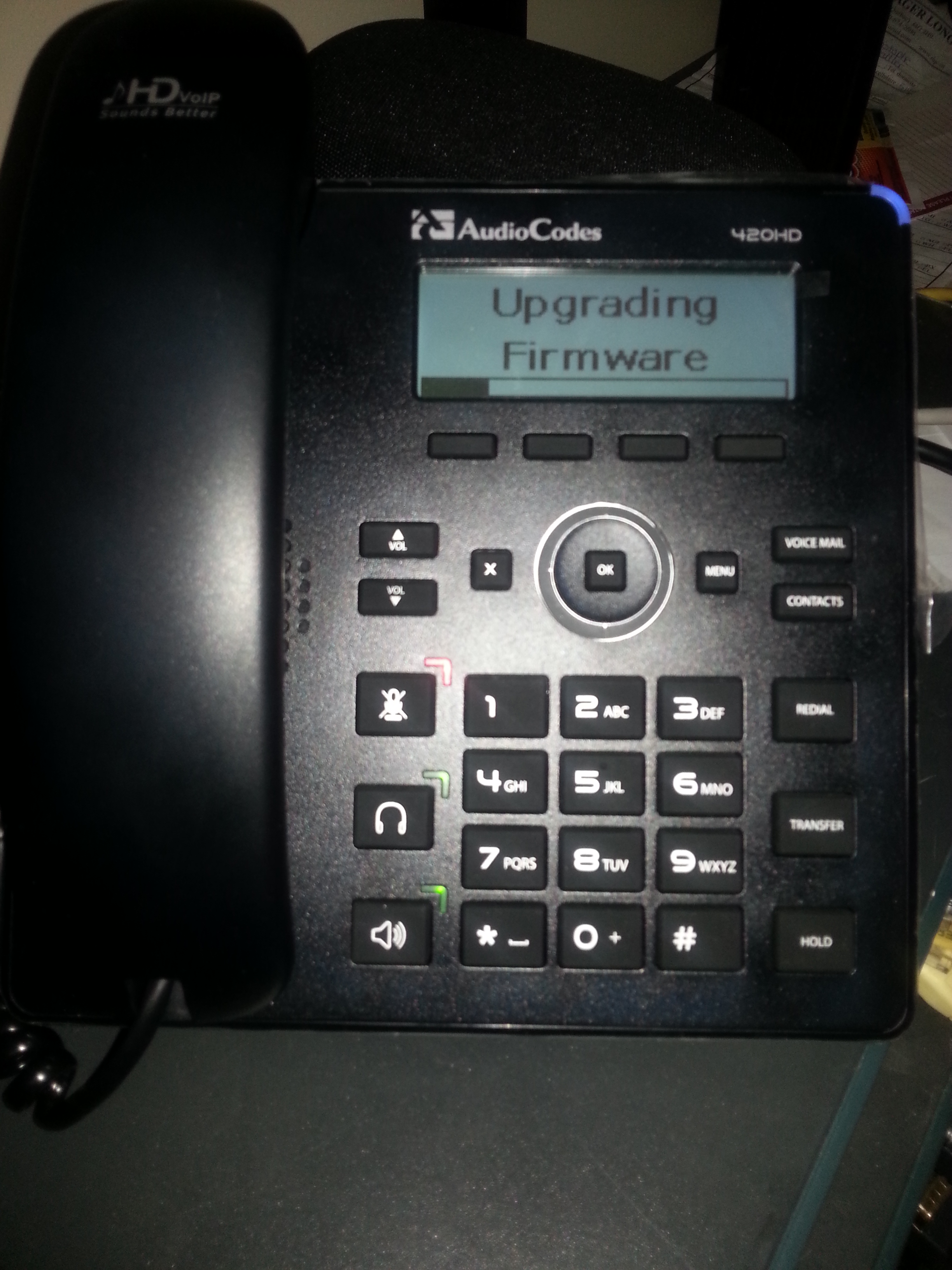
Importer le firmware 2.0.9.
3 - Configuration du couplage BTOE:
Il faut générer un code de couplage.
Sur le téléphone Audiocodes, aller dans MENU et appuyer sur le softkey BToE
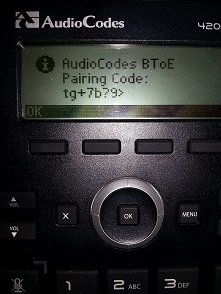
Sur votre poste de travail, préciser le même code dans l'application BToE

L'application cherche ensuite a communiquer avec le port 9999 du téléphone IP pour procéder au couplage


Il n'est pas nécessaire de s'enregistrer sur le téléphone Polycom, lors du couplage, une fenêtre d'authentification pop vous permettant de fournir vos identifiants:

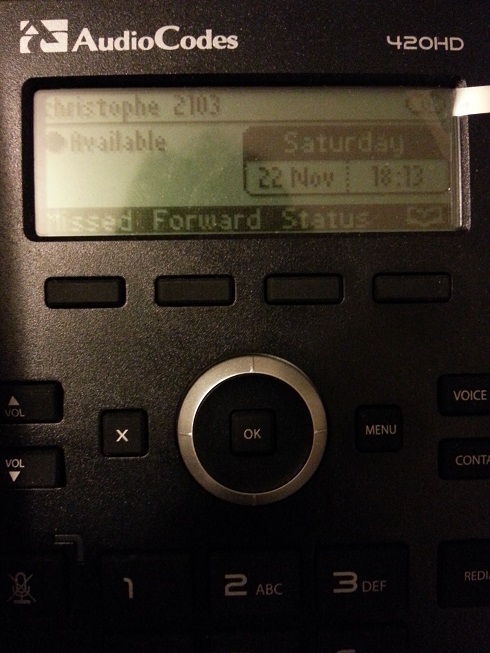
Le téléphone est maintenant enregistré avec l'utilisateur Christophe, le status de couplage est visible en haut à droite de l'écran:
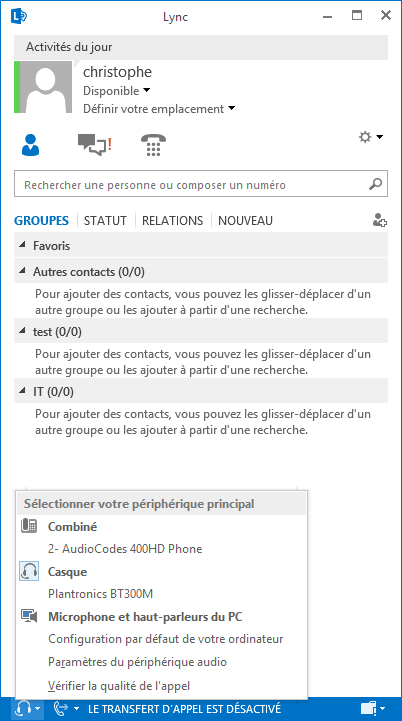
Après enregistrement, le téléphone devient visible dans les périphériques Lync:
Limitations:
Audiocodes a publié cette semaine la version 1.0.0 de son logiciel applicative BTOE.
Vous pouvez le télécharger ici: http://www.audiocodes.com/solutions/microsoft/lync-ip-phones


Le petit bug de la semaine.
Contexte:
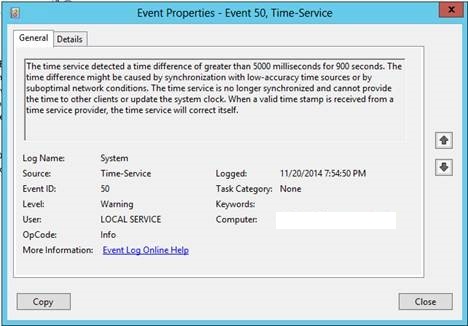
Dans le cadre d'une phase de pilote avant d'embarquer dans le processus de migration totale de l'environnement de téléphonie vers Lync pour les 500 utilisateurs du client concernés, les utilisateurs constatent depuis quelques temps, tous les jours, à la même heure l'erreur suivante:
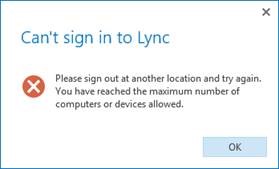
Par défaut, vous pouvez vous connecter avec 8 devices par compte utilisateur, la commande get-csRegistrarConfiguration remonte cette information.
Si par exemple vous souhaitez augmenter ce nombre (30 par exemple), la commande est:
Set-CsRegistrarConfiguration –Identity global –MaxEndpointsPerUser 30
Cette commande est limitée à une étendue Global ou site.
Ce n'est bien entendu pas une solution viable dans ce contexte, les utilisateurs ayant au maximum 3 sessions (poste de travail, téléphone IP Polycom VVX 410 et client mobile), il était important pour nous d'identifier l'origine du problème.
Après investigation, la cause avait deux sources:
Le 19 novembre, Audiocodes a publié un nouveau firmware pour ces téléphones séries 400HD compatibles Lync.
Version: 2.0.9
Nom document: LTRT-08260 400HD Series of IP Phones for Microsoft Lync Release Notes v2.0.9.pdf
Release notes: LTRT-08260 400HD Series of IP Phones for Microsoft Lync Release Notes v2.0.9.pdf
Guide administrateur: http://www.audiocodes.com/filehandler.ashx?fileid=3885776
Guide utilisateur 420HD: http://www.audiocodes.com/filehandler.ashx?fileid=3885804
Guide utilisateur 430HD et 440HD: http://www.audiocodes.com/filehandler.ashx?fileid=3885827
Firmware: http://www.audiocodes.com/solutions/microsoft/lync-ip-phones#
Les nouveautés:
Problèmes résolus:
Problèmes connus:

Microsoft vient d'introduire Office365: http://blogs.office.com/2014/11/18/introducing-office-365-video/

Q. Which Office 365 plans are required to get Office 365 Video?
A. Office 365 Video is included in the Office 365 E1, E2, E3 and E4 subscription plans (and the corresponding A2, A3 and A4 plans for Academic customers). Any user that has not been assigned one of the above licenses will not have use rights to Office 365 Video. Government plans are in planning, but not available at this initial release moment.
Q. Do customers have to incur additional costs for Azure Media Services consumption?
A. The integrated Azure Media Services usage does not incur additional cost to customer; videos stored in Office 365 will count against SharePoint Online team sites pooled storage.
Q. What Office 365 workloads must I have deployed for Office 365 Video to work?
A. Office 365 Video requires SharePoint Online. Once Office 365 Video has been rolled out to a qualified customer (as specified in the previous FAQ), Office 365 Video will be enabled for all users that have one of the eligible plans and have a SharePoint Online license assigned.
Q. When will Office 365 Video be available in my Office 365 environment?
A. Customers who have opted into First Release will begin seeing Office 365 Video appear over the next few days. Deployment beyond First Release, to standard deployment tenants is targeted to complete worldwide by early 2015.
Q. Can I turn off Office 365 Video for my tenancy?
A. Yes. You can disable and enable it from within the SharePoint Online admin center.
Q. Will Office 365 Video be available for the Office 365 Business SKUs (formerly the Small Business plans)?
A. No.
Q. Will Office 365 Video be available for the Office 365 Dedicated plans?
A. No
Microsoft vient de publier une mise à jour de son guide de déploiement pour Lync Room System: http://www.microsoft.com/en-us/download/details.aspx?id=39274
Microsoft Lync Room System (LRS) edition is a new Microsoft Lync unified communications client that has been optimized for Lync meetings in physical conference rooms. This document guides you through provisioning Microsoft Lync Room System in Lync Server and Exchange Server.

Microsoft vient de publier une mise à jour pour Lync Room System: http://support2.microsoft.com/kb/3011144
This update provides the following improvements for Lync Room System:
C'est une question qui ressort fréquemment lors des transferts de compétences.
Deux options sont possibles pour mettre à jour votre environnement:
-Microsoft Update/WSU: Étant automatique, le risque d'oublier d'appliquer la commande de mise à niveau des bases de données est importantes. De plus, mettre à jour un système de téléphonie de manière transparente et sans contrôle comporte un risque;
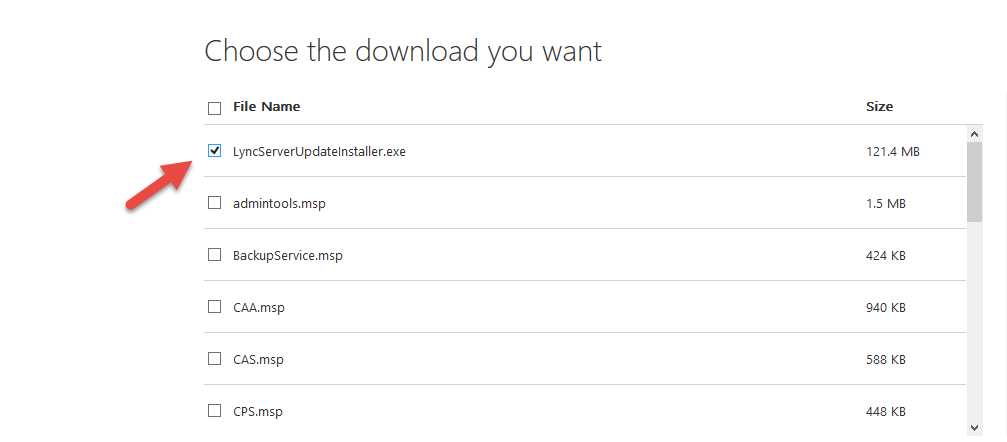
- LyncServerUpdateInstaller.exe:
Cette exécutable rassemble l'ensemble des dernières mises à jours et s'applique manuellement;
Le fichier est le même que votre environnement est en version Standard et Entreprise;
Vous devez appliquer les mises à jours sur l'ensemble de vos serveurs Lync;
Vous pouvez télécharger le fichier ici: http://www.microsoft.com/en-us/download/details.aspx?id=36820;
Pour une application du fichier de mise à jour dans un environnement EntReprise, il faut prendre en considération que les serveurs frontaux d’un pool sont organisés en domaines de mise à niveau. Il s’agit de sous-ensembles des serveurs frontaux dans le pool. Les domaines de mise à niveau sont créés automatiquement par le Générateur de topologie. Quand vous effectuez la mise à niveau des serveurs, vous devez procéder un domaine de mise à niveau à la fois. Arrêtez chaque serveur dans un domaine de mise à niveau, effectuez sa mise à niveau, puis redémarrez-le avant de passer au domaine de mise à niveau suivant. Veillez à assurer un suivi des serveurs et domaines de mise à niveau déjà mis à niveau.
Utilisez le diagramme de flux suivant dans la cadre de la mise à niveau de chaque serveur.

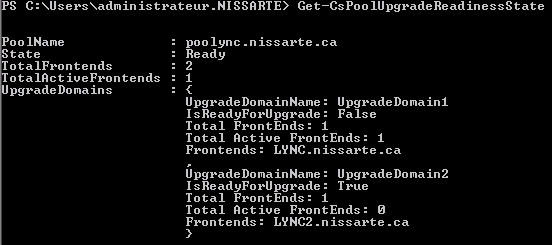
Get-CsPoolUpgradeReadinessState
PoolUpgradeState= Busy, vérifier les informations remontés avec la commande pouvant indiquer un problème dans votre environnement devant être résolu avant d'appliquer les mises à jours.
PoolUpgradeState= Ready, vous pouvez passer à l’étape 2.
La commande Stop-CsWindowsService -Graceful -Verbose vous permet d'interrompre les nouvelles connexions aux serveurs frontaux que vous allez mettre à niveau.
2- Appliquer LyncServerUpdateInstaller.exe:
Il est possible de préciser des options lors du lancement de l'application:
/silentmode: Applique toutes les mises à jours en arrière plan;
/silentmode /forcereboot: Applique toutes les mises à jours en arrière plan et redémarre le serveur si nécessaire;
/extractall: extrait les mises à jours dans un sous-répertoire nommé "Extracted";
Lancer l'exécutable:
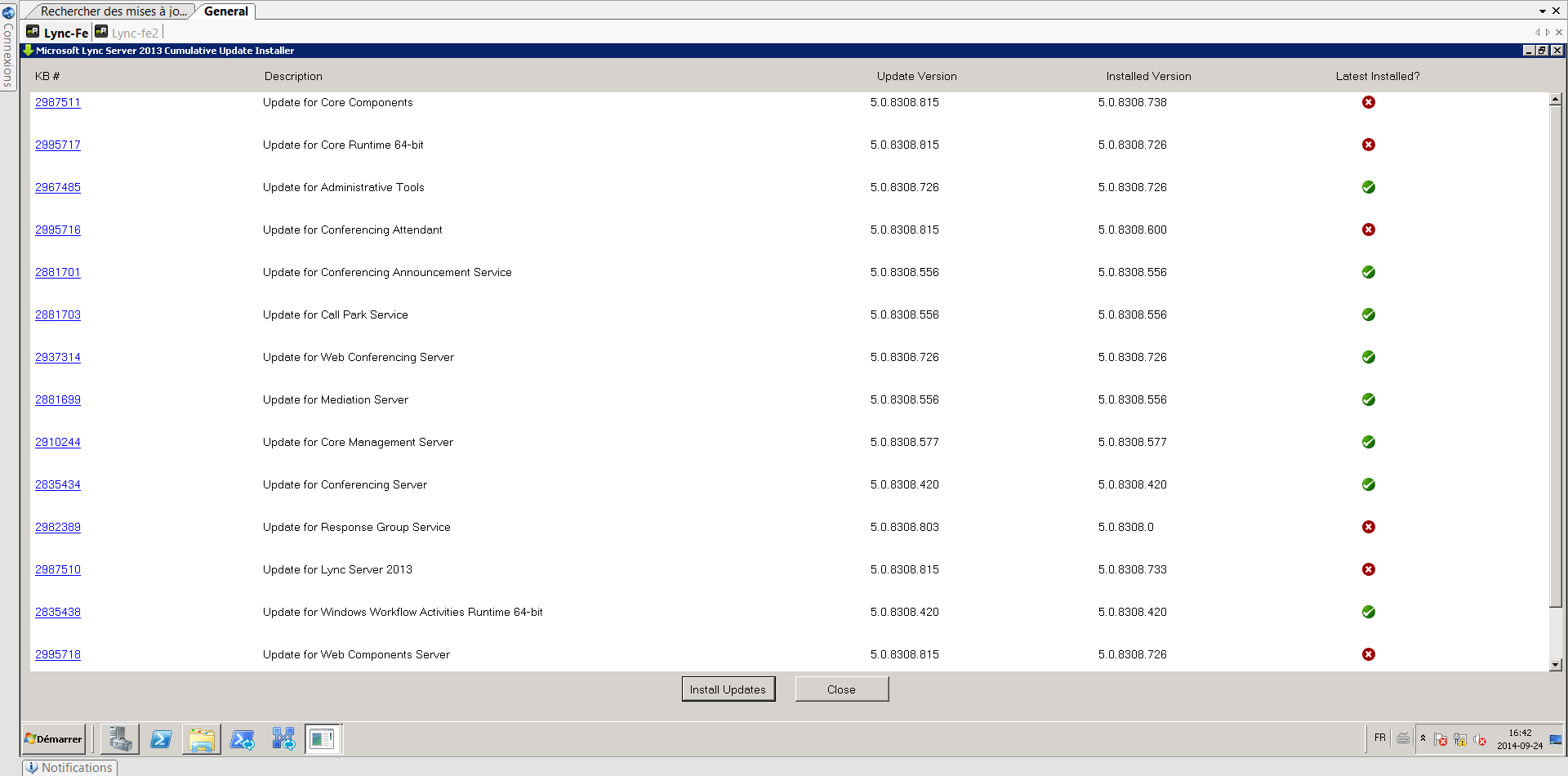
Vous êtes en mesure de vérifier votre versions actuelles applicatives, un indicateur visuel permet d'indiquer si un composant est en dernière version ou non.
Appuyer sur -Install Updates- lancent automatiquement la mise à niveau des composants vers la dernière version:

Un redémarrage du serveur est nécessaire:

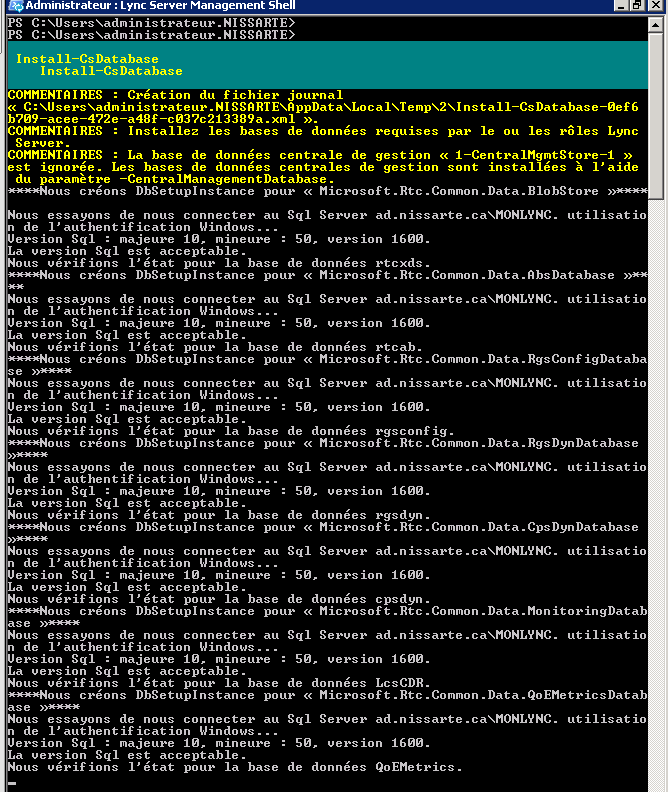
2- Appliquer les mises à jours sur les bases de données:
Lync Server 2013 Standard Edition: Install-CsDatabase -ConfiguredDatabases -SqlServerFqdn FEBE.FQDN -Verbose
Lync Server 2013 Enterprise Edition: Install-CsDatabase -ConfiguredDatabases -SqlServerFqdn FEBE.FQDN -Verbose
Lync Server 2013 Persistent Chat Databases: Install-CsDatabase -DatabaseType PersistentChat -SqlServerFqdn PChatBE.fqdn -SqlInstanceName DBInstance -Verbose
Lync Server 2013 Monitoring/Archiving/Persistent Chat Databases: Install-CsDatabase -ConfiguredDatabases -SqlServerFqdn SQLServer.FQDN -Verbose
3- Appliquer les mises à niveaux sur le CMS:
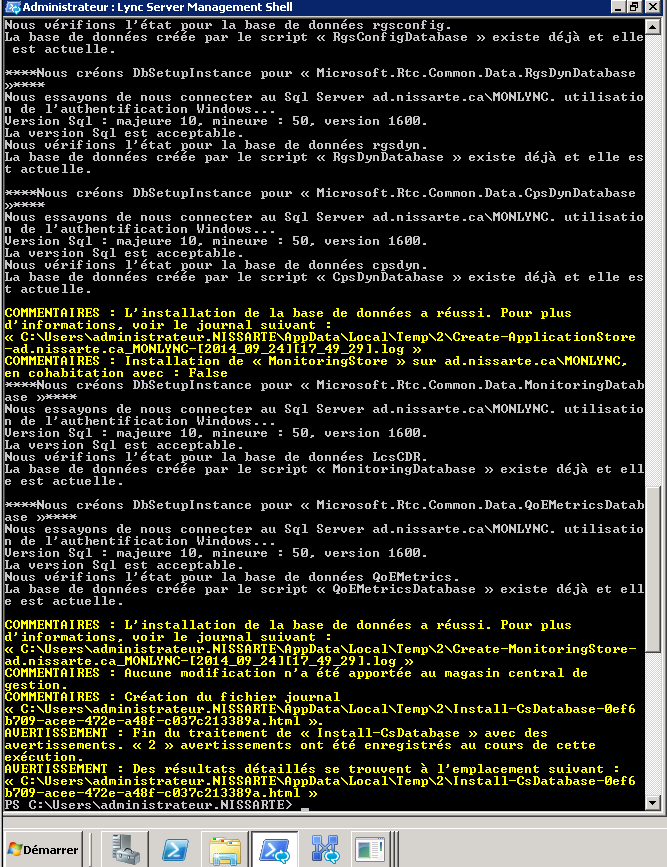
Dans le cas ou vous avez déjà appliqué la mise à jour de février 2013, il n'est pas nécessaire de procéder à cette étape.
Install-CsDatabase -CentralManagementDatabase -SqlServerFqdn CMS.FQDN -SqlInstanceName DBInstanceName -Verbose
4- Activer la mobilité:
Dans le cas ou vous avez déjà appliqué la mise à jour de février 2013, il n'est pas nécessaire de procéder à cette étape.
Enable-CsTopology
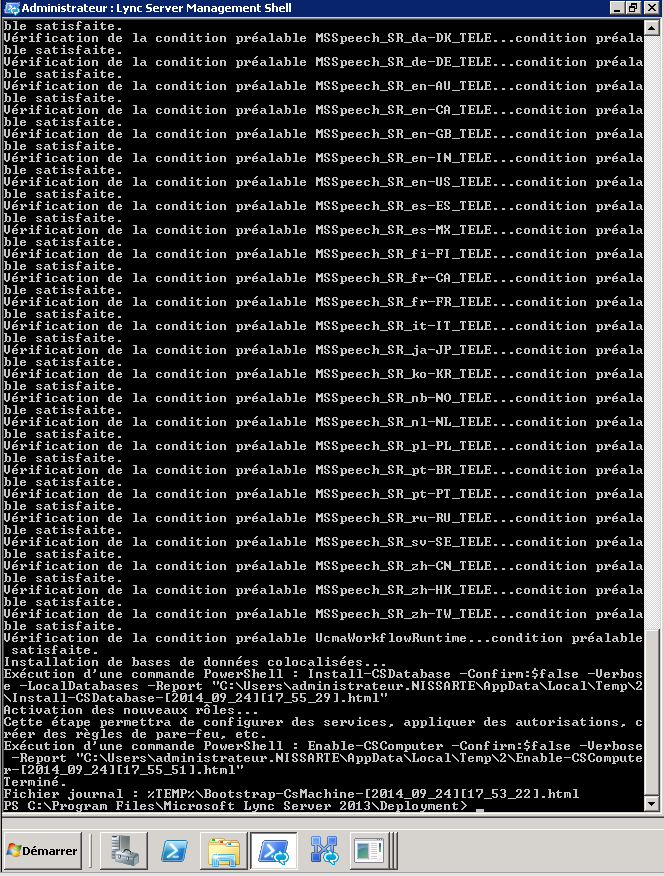
5- Activer UCWA
Dans le cas ou vous avez déjà appliqué la mise à jour de février 2013, il n'est pas nécessaire de procéder à cette étape.
%ProgramFiles%\Microsoft Lync Server 2013\Deployment\Bootstrapper.exe
Skype vient d'annoncer l'arrivée imminente des fonctionnalités web en version bétà.
Simply sign in to Skype for Web on Skype.com and you’ll be able to connect and start instant messaging directly from your browser.
You can connect to Skype for Web from Internet Explorer, Chrome on Windows, Firefox or Safari on your computer –
Once you’ve signed in on Skype.com, you can start instant messaging friends straight away. Making great quality voice or video calls is just as easy; simply press the call button to connect.
Known issues:
| Category | Description |
| Browser availability | Skype for Web works onWindows: Internet Explorer 10 and above and the latest versions of Chrome and Firefox.Mac OS: Safari 6 and above. |
| Battery life | Issue with battery consumption when running Skype for Web on a Mac. |
| Video call connection times | Outgoing Skype calls can take longer than normal to ring. |
Information ici: http://blogs.skype.com/2014/11/14/please-welcome-skype-for-web-beta/
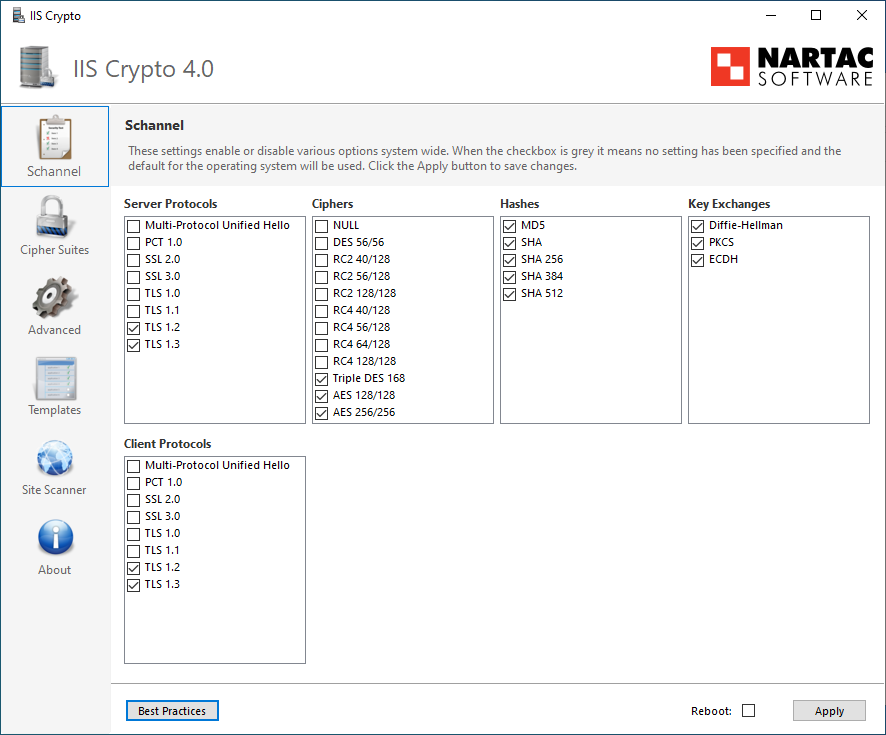
IIS Crypto est un outil gratuit intéressant.
Description:
IIS Crypto is a free tool that gives administrators the ability to enable or disable protocols, ciphers, hashes and key exchange algorithms on Windows Server 2003, 2008 and 2012. It also lets you reorder SSL/TLS cipher suites offered by IIS, implement best practices with a single click and test your website.
Features:
Microsoft vient de publier un nouveau document concernant la configuration de Windows Server 2012 Web Application Proxy en tant que reverse proxy pour lync.
Description:
This whitepaper describes how to configure the Windows Server 2012 R2 Web Application Proxy as a reverse proxy for Lync Server. The service allows internal applications such as Microsoft Lync and Exchange to be published for external access. The Web Application Proxy service functions as both a reverse proxy and an Active Directory Federation Services (AD FS) proxy.
Lien: http://www.microsoft.com/en-us/download/details.aspx?id=44940
Microsoft vient de publier quelques nouvelles concernant la prochaine version de Lync: Skype for Business
Vous pouvez accèder à l'article d'introduction ici: http://blogs.office.com/2014/11/11/introducing-skype-business/
In the first half of 2015, the next version of Lync will become Skype for Business with a new client experience, new server release and updates to the service in Office 365.
Skype for Business keeps and improves on all of the capabilities of Lync, including content sharing and telephony. For example, transferring a call now takes only one touch or click instead of three
For example, as you can see in the screenshots, we’re adopting the familiar Skype icons for calling, adding video and ending a call
Current Lync Server customers will be able to take advantage of these capabilities simply by updating from Lync Server 2013 to the new Skype for Business Server in their datacenters
No new hardware is required.


Tout juste revenu du MVP Summit la semaine dernière, j'ai du me pencher vendredi sur le processus de récupération de plusieurs centaines de Polycom Soundpoint existant dans le cadre d'un de nos projets de migration toip Lync actuel.
Contexte:
Les premiers tests avec le firmware Polycom UC Software 4.0.2 permettent l'enregistrement de l'utilisateur dans le nouvel environnement Lync.
Pour corriger quelques irritants (principalement les reboot) et accèder aux nouvelles fonctionnalités, le firmware Polycom UC Software 4.1.1 du mois de Juin est testé aussi.
Description Polycom UC Software 4.1.1:
Polycom UC Software 4.1.1 is for use with Microsoft Lync Server and using a single registered line only.
UC Software 4.1.1 supports the following Polycom devices:
● SoundPoint IP 321, 331, 335, 450, 550, 560, and 650 desktop phones. The SoundPoint IP 670 is not supported.
● SoundStation IP 5000 conference phones
● SoundStation Duo conference phones
Polycom UC Software 4.1.1 does not support VVX 300/310, VVX 400/410, VVX 500, VVX 600, and VVX 1500 business media phones. For more support on these platforms, refer to the UC Software/SIP Software Release Matrix.
New or Enhanced Features
90757 Add support for pin authentication (applies to SoundPoint IP 450, 550, 560, 650, SoundStation IP 5000 and SoundStation Duo).
Enhanced Capabilities
92710 The phone now successfully attends the call routed through Exchange Auto Attendant and no longer causes any de-registration issue on the phone.
92708/88402 The phone now obeys the Lync 2013 normalization rules and goes offhook or onhook within the configured time.
92707/87064 In a Lync 2010 environment, the phone now dials the extention format number without any issue (applies to SoundPoint IP331).
92705/84764 In a Lync 2010 environment, the TLS transport option is now available on the phone when it is installed in the Russian SKU.
92621 Filtering for the exposed debug UDP port to address security issues is working as expected for the customers running port scans on Polycom devices. The phone no longer exposes UDP 17185.
92558/91447/91564 Local and remote ringback tone is no longer heard on outgoing calls after receiving 183 and 180 responses.
92221/91183 In a Lync 2010 environment, performance of the SoundStation IP 5000 phone is improved, and it no longer freezes after 12 hours of idle time.
91408 In a Lync 2013 environment, the SoundPoint IP 321/331/335 phones no longer freeze or reboot randomly.
Problème:
Suite aux changement de software, aucun des utilisateurs de tests ne peuvent s'enregistrer sur les serveurs Lync.
Erreurs dans les téléphones Polycom:
1107144149|sip |4|03|TLS-DSK: Setting of Client Certificate failed due to (33558531) error:02001003:system library:fopen:errno = 0x3
1107144149|sip |4|03|TLS-DSK: Setting of Client Private key failed due to (537346050) error:20074002:BIO routines:FILE_CTRL:system lib
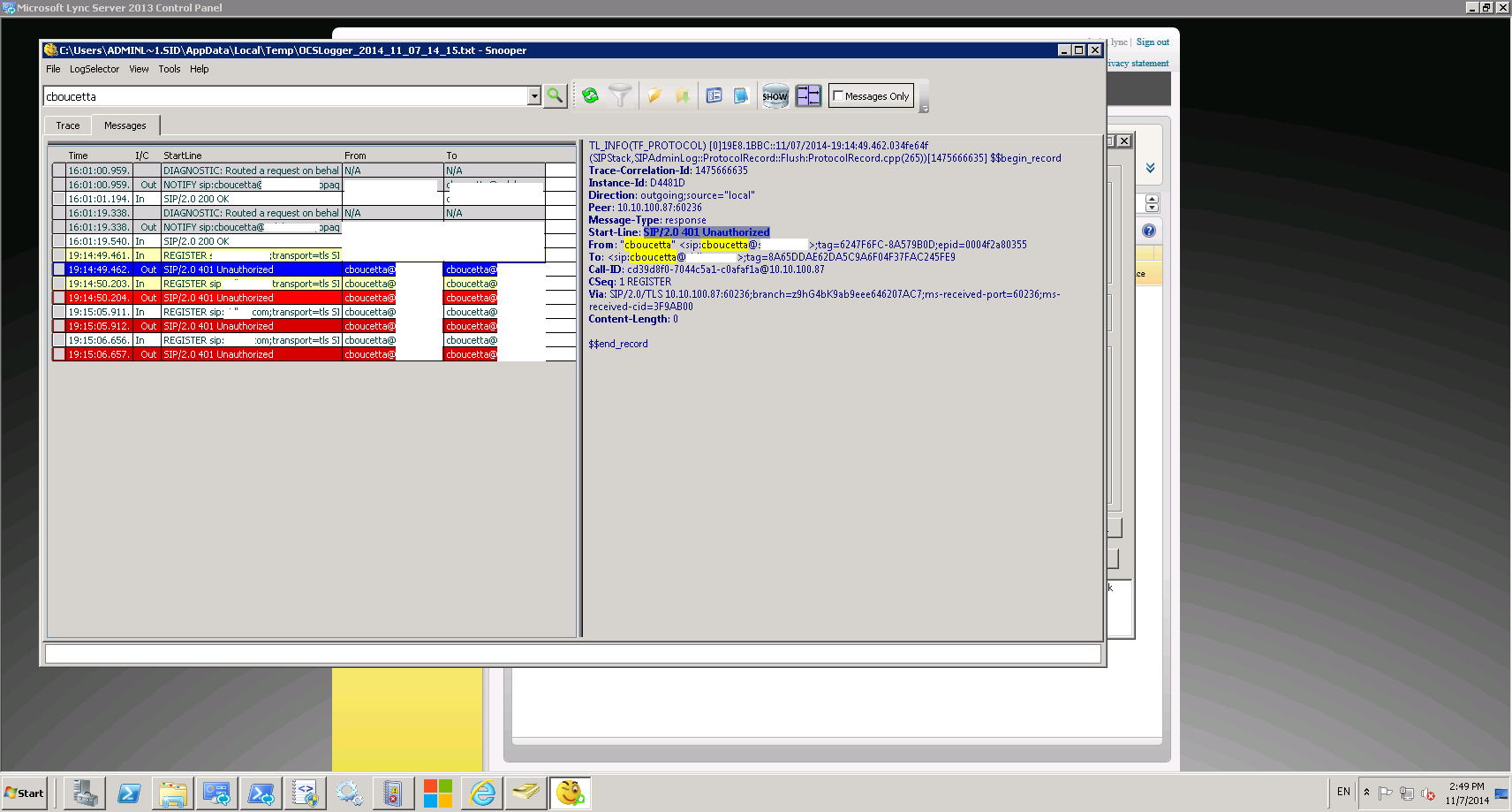
Erreurs dans les traces Lync:
Résolution:
La réponse vient de cette discussion sur le forum polycom: http://community.polycom.com/t5/VoIP/Certificate-Error/td-p/55828
UCS 4.1.1 added Pin Auth to several SPIP models and therefore the standard software setting for loginCredentialType is PinAuth.
Dans le fichier de configuration du téléphone, préciser le mode d'enregistrement: reg.1.auth.loginCredentialType="usernameAndPassword"
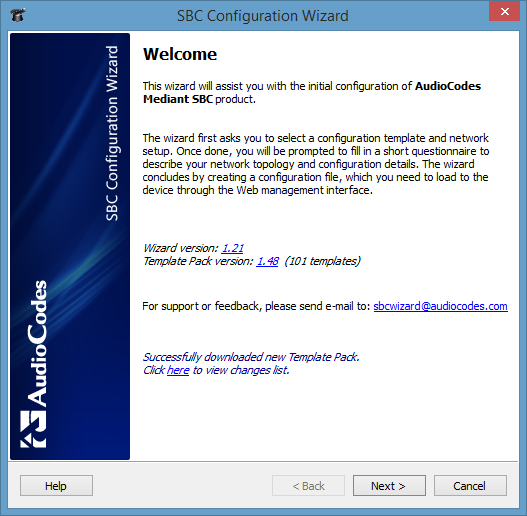
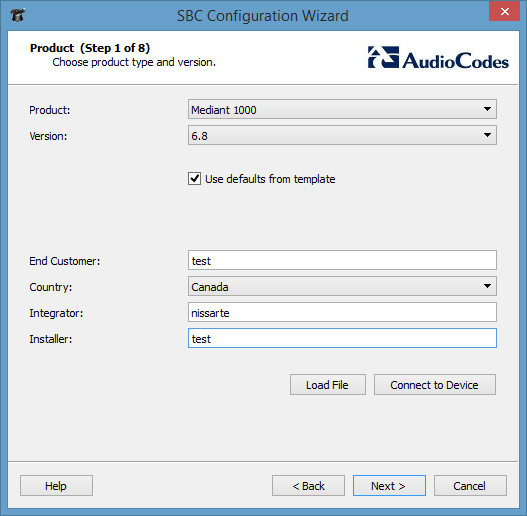
Précedemment, j'avais déjà évoquer l'outil fourni par Audiocodes permettant de génerer la configuration de base d'une passerelle SBC: http://microsofttouch.fr/default/b/christophe/archive/2014/07/15/microsoft-lync-server-2013-audiocodes-sbc-wizard.aspx
Depuis la publication de cette article, le nombre de template disponible est de plus en plus important.
L'outil est actuellement en version 1.21, la dernière version de template en 1.48.
Dernière mise a jour de l'outil:
v1.21 (Oct 26, 2014)
Fixed SRTP configuration for Remote Users application
Added optional Local Prefix configuration for IP-PBX
Added spacing to routing table
v1.20 (Oct 6, 2014)
Fixed NAT configuration for Remote Users application
v1.19 (Sep 15, 2014)
Added template pack version history
Switched to Qt5 library
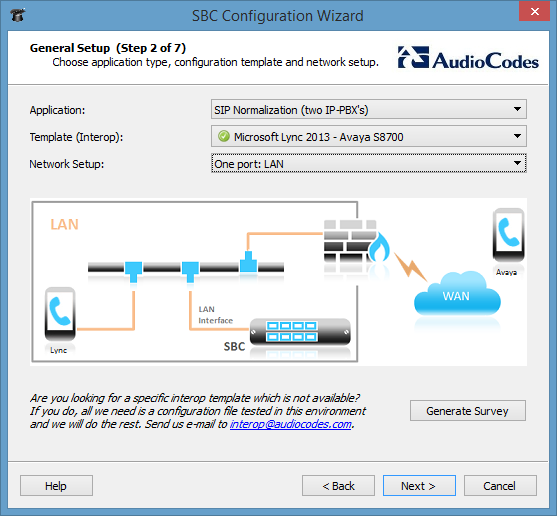

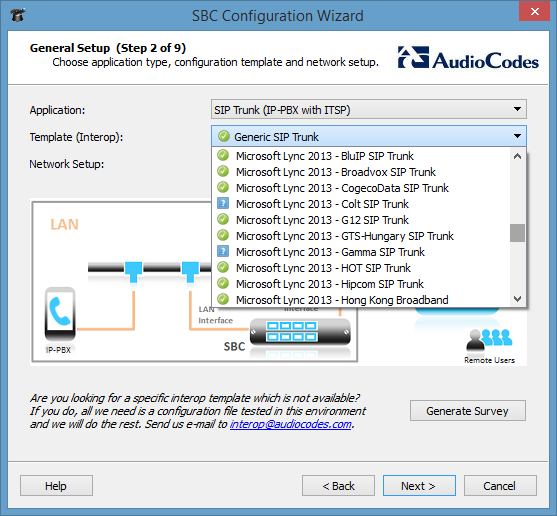
Vous pouvez même demander à Audiocodes l'ajout de template via l'adresse courriel interop@audiocodes.com
La liste complète des templates est disponible ici:
v1.48 (Nov 3 2014)
Added "Genesys SIP Server - CenturyLink SIP Trunk" template
Fixed "Genesys SIP Server - AireSpring SIP Trunk" template
v1.47 (Oct 27 2014)
Fixed "Microsoft Lync 2013 - Telenor SIP Trunk" template
v1.46 (Oct 26 2014)
Added "Genesys SIP Server - AireSpring SIP Trunk" template
Added "Microsoft Lync 2013 - Telenor SIP Trunk" template
Added "Microsoft Lync 2013 - Intelepeer SIP Trunk" template
v1.45 (Oct 2 2014)
Added "BroadSoft - Generic SIP Trunk" template
v1.44 (Sep 28 2014)
Fixed "Alcatel-Lucent Remote Users" template
v1.43 (Sep 15 2014)
Added "Microsoft Lync 2013 - Avaya CS1000" template
v1.42 (Sep 8 2014)
Added "Ericsson-LG IPECS MFIM - Telkom SA Premium SIP Trunk" template
Added "Ericsson-LG IPECS MFIM - Telkom SA Standard SIP Trunk" template
Added "Microsoft Lync 2013 - Neotel SIP Trunk" template
Added "NEC 3C PBX Remote Users" template
Fixed media ports range in the following templates:
"Microsoft Lync 2010 - AT&T IP Toll Free SIP Trunk"
"Microsoft Lync 2010 - AT&T IP Toll Free SIP Trunk"
"Vocalcom Call Center - Belgacom SIP Trunk"
v1.41 (Aug 5 2014)
Added "ShoreTel PBX - Telecom NZ SIP Trunk" template
All Lync templates renamed to indicate Lync version
v1.40 (Jul 31 2014)
Added "Microsoft Lync - Hong Kong Broadband" template
Added "Microsoft Lync - SingTel SIP Trunk" template
Added "Microsoft Lync - UPC Nederland" template
v1.39 (Jul 22 2014)
Updated "Microsoft Lync - Verizon SIP Trunk" template
Updated "Microsoft Lync 2013 - Bell Canada SIP Trunk" template
v1.38 (Jul 21 2014)
Added "Alcatel-Lucent Remote Users" template
Added "Microsoft Lync - Skype SIP Trunk" template
v1.37 (Jun 19 2014)
Fixed "Microsoft Lync - Netia SIP Trunk" template
v1.36 (Jun 18 2014)
Fixed "Microsoft Lync - Swisscom VoIP Gate" template - added reference to LTRT document
v1.35 (Jun 17 2014)
Added "Microsoft Lync - Swisscom VoIP Gate" template
Added "Microsoft Lync - Netia SIP Trunk" template
Fixed "Microsoft Lync - BluIP SIP Trunk" template - added SIPGATEWAYNAME
v1.34 (Jun 11 2014)
Added "Microsoft Lync 2013 - Bell Canada SIP Trunk" template
Renamed "Microsoft Lync - Bell Canada SIP Trunk" template to "Microsoft Lync 2010 - Bell Canada SIP Trunk"
v1.33 (Jun 10 2014)
Update for Wizard v1.15 - removed remote FEU port from all relevant templates
v1.32 (Jun 5 2014)
Added "Genesys SIP Server - Colt SIP Trunk" template
Added "Microsoft Lync - Vodafone NZ SIP Trunk" template
Added "Microsoft Lync - TELUS SIP Trunk" template
v1.31 (May 7 2014)
Added "Microsoft Lync - Telstra SIP Enterprise" template
v1.30 (Apr 30 2014)
Added "Microsoft Lync - BT BV IP Connect" template
Added "Microsoft Lync - G12 SIP Trunk" template
Added "SAP Contact Center - Colt SIP Trunk" template
v1.29 (Feb 23 2014)
Added "Alcatel-Lucent OXE - Colt SIP Trunk" template
Added "Alcatel-Lucent OXE - Gamma SIP Trunk" template
Changed NAT configuration syntax to match Wizard v1.14
v1.28 (Jan 21 2014)
Obscured usernames and primary lines in all templates
v1.27 (Jan 15 2014)
Fixed "Microsoft Lync - Virginmedia SIP Trunk" template
v1.26 (Jan 7 2014)
Added "Microsoft Lync - Virginmedia SIP Trunk" template
v1.25 (Nov 28 2013)
Added "Microsoft Lync - Tipicall SIP Trunk" template
v1.24 (Nov 17 2013)
Added "Microsoft Lync - BCX SIP Trunk" template
Added "Microsoft Lync - Mitel 3300 MXE III Call Center" template
Added "Microsoft Lync - Telavox SIP Trunk" template
Added "Microsoft Lync - VOX SIP Trunk" template
Added "Mitel 3300 MXE III Call Center - BCX SIP Trunk" template
Added "Mitel 3300 MXE III Call Center - VOX SIP Trunk" template
Added "MTN Hosted IP-PBX" template
v1.23 (Nov 12 2013)
Added "Alcatel-Lucent OXE - Counterpath Softphones" template
Added "Avaya IP-PBX - Office 365 Exchange Online" template
Added "Cisco CUCM - Office 365 Exchange Online" template
Added "Genesys SIP Server - SIPUS SIP Trunk" template
Added "Microsoft Lync - Alphalink SIP Trunk" template
Added "Microsoft Lync - Gamma SIP Trunk" template
Added "Microsoft Lync - IP Directions SIP Trunk" template
Added "Vocalcom Call Center - Belgacom SIP Trunk" template
v1.22 (Oct 27 2013)
Added "Microsoft Lync - Hipcom SIP Trunk" template
Fixed account configuration in BellCanada templates
v1.21 (Oct 23 2013)
Added "Asterisk - XO SIP Trunk" template
Added "Avaya IP-PBX - Alcatel-Lucent OXE" template
Added "Avaya IP-PBX - Bell Canada SIP Trunk" template
Added "Avaya IP-PBX - Cisco CUCM" template
Added "Avaya IP-PBX - Verizon SIP Trunk" template
Added "Cisco CUCM - AT&T Enhanced IPFR" template
Added "Genesys SIP Server - Alcatel-Lucent OXE" template
Added "Genesys SIP Server - Avaya IP-PBX" template
Added "Genesys SIP Server - Cisco CUCM" template
Added "Microsoft Lync - Interactive Intelligence" template
Updated "Microsoft Lync - Windstream SIP Trunk" template
Modified all templates - removed "redundant" domain names
v1.20 (Oct 17 2013)
Added "Microsoft Lync - AT&T Enhanced IPFR" template
Added "Microsoft Lync - Alteva SIP Trunk" template
v1.19 (Oct 16 2013)
Added "Microsoft Lync - Alcatel-Lucent OXE" template
Added "Microsoft Lync - Cisco CUCM" template
Added "Alcatel-Lucent OXO - IP Directions SIP Trunk" template
Added "Alcatel-Lucent OXE - Completel SIP Trunk" template
Added "Microsoft Lync - Tele2 SIP Trunk" template
Added "Cisco CUCM - Completel SIP Trunk" template
Added "Avaya IP-PBX - Completel" template
Added "DuPont Hosted IP-PBX" template
Added "Microsoft Lync - MWEB SIP Trunk" template
Cleaned up "Alcatel-Lucent - Broadvox SIP Trunk" template
v1.18 (Oct 13 2013)
Added "Microsoft Lync - BluIP SIP Trunk" template
v1.17 (Oct 6 2013)
Fixed "Alcatel-Lucent - Broadvox SIP Trunk" template
v1.16 (Sep 23 2013)
Renamed "Microsoft Lync - GTS-CE SIP Trunk" to "Microsoft Lync - GTS-Hungary SIP Trunk"
v1.15 (Sep 23 2013)
Added "Microsoft Lync - GTS-CE SIP Trunk" template
Added "Microsoft Lync - MTS Allstream SIP Trunk" template
v1.14 (Sep 10 2013)
Added "Genesys SIP Server - AT&T IPTF" template
Added "Genesys SIP Server - Verizon SIP Trunk" template
Renamed "Genesys SRV" templates to "Genesys SIP Server"
Added "Avaya Session Manager - Microsoft Office 365" template
v1.13 (Aug 6 2013)
Added "Microsoft Lync - BT One Voice" template
v1.12 (Aug 1 2013)
Added "Microsoft Lync - Verizon SIP Trunk" template
Fixed SRTP configuration in all Lync templates to use explicit Media Protocol configuration
v1.11 (Jul 30 2013)
Added "ShoreTel PBX - MWEB SIP Trunk" template
Added "Microsoft Lync - Avaya S8700" template
Changed beta status for templates confirmed by FAEs
v1.10 (Jul 29 2013)
Added "Microsoft Lync - OVH SIP Trunk" template
Added "Microsoft Lync - Neotel SIP Trunk" template
Fixed SRTP configuration in all Lync templates - the section is present only when SRTP is actually used
v1.9 (Jul 17 2013)
Added "Microsoft Lync - Internet Solutions SIP Trunk" template
Fixed "Toshiba IP Edge - TM SIP Trunk" template
v1.8 (Jul 11 2013)
Added "Microsoft Lync - CogecoData SIP Trunk" template
Fixed "Genesys SRV - AT&T Enhanced IPFR" template
Fixed "Genesys SRV - AT&T IPFR" template
Fixed "Microsoft Lync - In Technology SIP Trunk" template
Fixed "Microsoft Lync - QSC AG SIP Trunk" template
Fixed "Microsoft Lync - XO Communications SIP Trunk" template
Fixed "Microsoft Lync - Telstra SIPConnect" template
Fixed "Toshiba IP Edge - TM SIP Trunk" template
v1.7 (Jul 10 2013)
Added "Microsoft Lync - Telstra SIPConnect" template
v1.6 (Jul 8 2013)
Added "Toshiba IP Edge - TM SIP SIP Trunk" template
Obscured IP addresses in "Genesys - AT&T" templates
Added support for Remote Users to "Genesys - AT&T" templates
v1.5 (Jul 2 2013)
Added "Alcatel-Lucent - Broadvox SIP Trunk" template
Added labels to all templates (to be shown on setup picture)
v1.4 (Jul 2 2013)
Fixed "Genesys SRV - AT&T Enhanced IPFR" template
Fixed "Genesys SRV - AT&T IP Flexible Reach" template
Removed "Alcatel-Lucent OmniPCX" template
v1.3 (Jun 30 2013)
Added "Alcatel-Lucent OmniPCX" template
v1.2 (Jun 30 2013)
Added "Genesys SRV - AT&T Enhanced IPFR" template
v1.1 (Jun 27 2013)
Added "Genesys SRV - AT&T IP Flexible Reac
Paul partage un script intéressant dans gallery.technet.microsoft.com.
Nom du script: Lync RGS Emergency Failover Script
Description:
What happens to my Response Group Calls when we have to suddenly evacuate the building?
This script refers to failing over the DDI that accesses the RGS so effectivly PSTN access to the RGS Workflow in question. Simply stated, a preconfigured Emergency Workflow complete with announcements and failover otions is configured prior to using this script. This script fails over the Line URI from an active RGS Workflow to an Emergency Workflow and vice versa depending on the menu selection by the administrator.
Téléchargeable ici: https://gallery.technet.microsoft.com/Lync-RGS-Emergency-b48c1647
Merci à l'auteur.

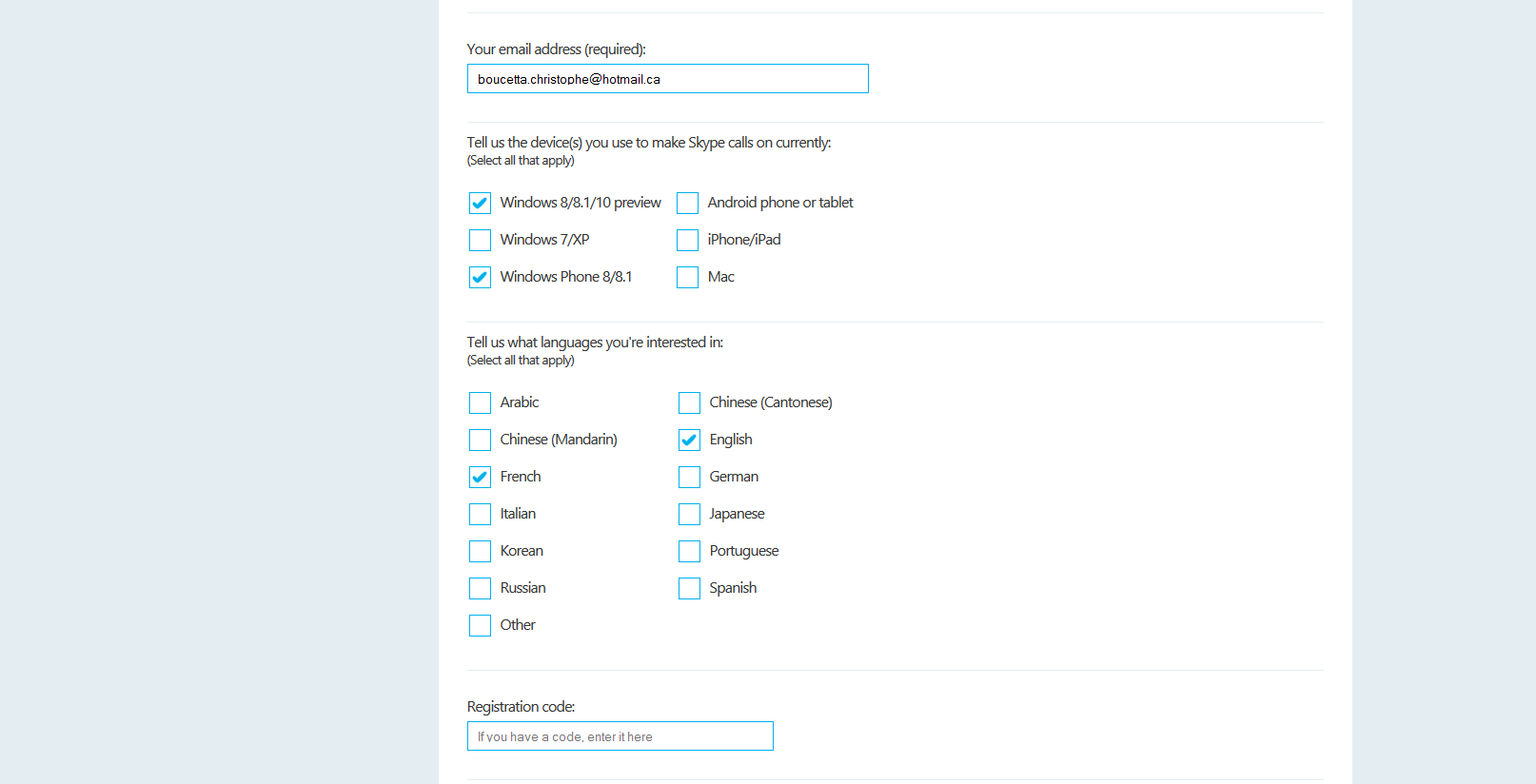
Il est actuellement possible de s'incrire pour la preview Skype concernant la traduction vocale.
L'inscription est simple et disponible sur cette URL: http://www.skype.com/en/translator-preview/
Description du service:
Speak another language without learning another language. Simply set up a Skype video or voice call with someone who speaks another language to you and start talking.
✔ Your conversation is translated into their language in real time.
✔ And what they say is translated back in your language.
✔ An on-screen transcript of your call is displayed.
✔ Instant message chats in 45 languages can be translated.
Vidéo:
Inscription vraiment simple:

Le 29 octobre, Microsoft a annoncé la fin du support du protocole SSL 3.0 dans Office 365 à partir du 1er décembre 2014: http://blogs.office.com/2014/10/29/protecting-ssl-3-0-vulnerability/
Description:
To help protect our customers further, we will be disabling fallback to SSL 3.0 in IE, disabling SSL 3.0 by default in IE, and across Microsoft online services, over the coming months.
Starting on December 1, 2014, Office 365 will begin disabling support for SSL 3.0. This means that from December 1, 2014, all client/browser combinations will need to utilize TLS 1.0 or higher to connect to Office 365 services without issues. This may require certain client/browser combinations to be updated.
Décision logique suite Security Advisory 3009008 du 14 octobre 2014: https://technet.microsoft.com/en-us/library/security/3009008.aspx
Executive Summary
Microsoft is aware of detailed information that has been published describing a new method to exploit a vulnerability in SSL 3.0. This is an industry-wide vulnerability affecting the SSL 3.0 protocol itself and is not specific to the Windows operating system. All supported versions of Microsoft Windows implement this protocol and are affected by this vulnerability. Microsoft is not aware of attacks that try to use the reported vulnerability at this time. Considering the attack scenario, this vulnerability is not considered high risk to customers.
We are actively working with partners in our Microsoft Active Protections Program (MAPP) to provide information that they can use to provide broader protections to customers.
Microsoft is announcing that SSL 3.0 will be disabled in the default configuration of Internet Explorer and across Microsoft online services over the coming months. We recommend customers migrate clients and services to more secure security protocols, such as TLS 1.0, TLS 1.1 or TLS 1.2. .
Une importante faille de sécurité a été découverte dans la version du protocole SSL par une équipe de chercheurs travaillant chez Google. Elle pourrait permettre à des pirates de s’insérer entre un serveur et un client pour récupérer des informations chiffrées. La seule protection efficace semble être la désactivation totale du protocole. Ce n'est pas une vulnérabilité venu du code de Lync, mais c'est une faille de sécurité venant de l'OS. SSL 3.0 est un protocole ayant 18 ans qui a été supplanté par TLS, dont la version 1.0 a été publiée en 1999 par l’IETF.
Je ne suis pas un expert sécurité, mais je me dois de livrer des services UC sécurisés à mes clients.
Que faire?
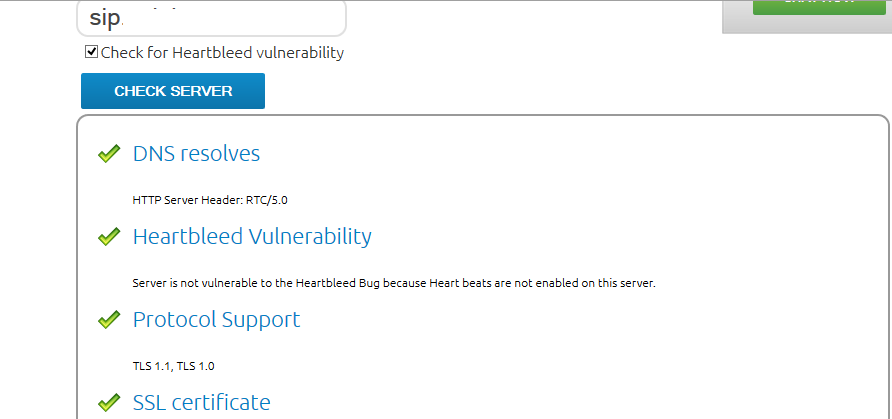
Vous pouvez déjà commencer par vérifier votre déploiement avec https://www.digicert.com/help/:
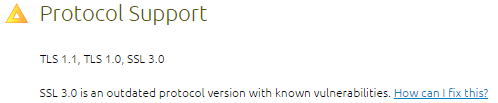
Si vous déployer sur des versions OS Windows Serveur 2012 ou Windows Serveur 2012 R2, vous pouvez désactiver SSL 3.0 avec la commande suivante:
reg add "HKLM\System\CurrentControlSet\Control\SecurityProviders\SCHANNEL\Protocols\SSL 3.0\Server" /v Enabled /t REG_DWORD /d 0 /f
Un redémarrage des services est nécessaires.
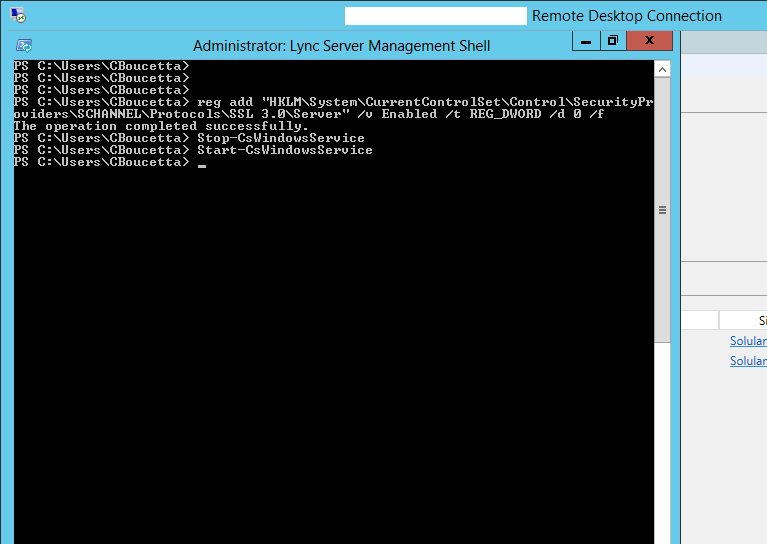
Manipulations effectuées dans notre environnement de production sur les serveurs Lync FE, edge, reverse proxy et WAC.
Si vous avez Windows Serveur 2008R2, vous pouvez trouver ici un script activant TLS: http://masteringlync.com/files/2014/10/EnableTLS.txt
# Add and Enable TLS 1.0 for client and server SCHANNEL communications
md 'HKLM:\SYSTEM\CurrentControlSet\Control\SecurityProviders\SCHANNEL\Protocols\TLS 1.0' -Force
md 'HKLM:\SYSTEM\CurrentControlSet\Control\SecurityProviders\SCHANNEL\Protocols\TLS 1.0\Server' -Force
New-ItemProperty -path 'HKLM:\SYSTEM\CurrentControlSet\Control\SecurityProviders\SCHANNEL\Protocols\TLS 1.0\Server' -name 'Enabled' -value '0xffffffff' -PropertyType 'DWord' -Force
New-ItemProperty -path 'HKLM:\SYSTEM\CurrentControlSet\Control\SecurityProviders\SCHANNEL\Protocols\TLS 1.0\Server' -name 'DisabledByDefault' -value 0 -PropertyType 'DWord' -Force

# Add and Enable TLS 1.1 for client and server SCHANNEL communications
md 'HKLM:\SYSTEM\CurrentControlSet\Control\SecurityProviders\SCHANNEL\Protocols\TLS 1.1' -Force
md 'HKLM:\SYSTEM\CurrentControlSet\Control\SecurityProviders\SCHANNEL\Protocols\TLS 1.1\Server' -Force
md 'HKLM:\SYSTEM\CurrentControlSet\Control\SecurityProviders\SCHANNEL\Protocols\TLS 1.1\Client' -Force
New-ItemProperty -path 'HKLM:\SYSTEM\CurrentControlSet\Control\SecurityProviders\SCHANNEL\Protocols\TLS 1.1\Server' -name 'Enabled' -value '0xffffffff' -PropertyType 'DWord' -Force
New-ItemProperty -path 'HKLM:\SYSTEM\CurrentControlSet\Control\SecurityProviders\SCHANNEL\Protocols\TLS 1.1\Server' -name 'DisabledByDefault' -value 0 -PropertyType 'DWord' -Force
New-ItemProperty -path 'HKLM:\SYSTEM\CurrentControlSet\Control\SecurityProviders\SCHANNEL\Protocols\TLS 1.1\Client' -name 'Enabled' -value 1 -PropertyType 'DWord' -Force
New-ItemProperty -path 'HKLM:\SYSTEM\CurrentControlSet\Control\SecurityProviders\SCHANNEL\Protocols\TLS 1.1\Client' -name 'DisabledByDefault' -value 0 -PropertyType 'DWord' -Force

# Add and Enable TLS 1.2 for client and server SCHANNEL communications
md 'HKLM:\SYSTEM\CurrentControlSet\Control\SecurityProviders\SCHANNEL\Protocols\TLS 1.2' -Force
md 'HKLM:\SYSTEM\CurrentControlSet\Control\SecurityProviders\SCHANNEL\Protocols\TLS 1.2\Server' -Force
md 'HKLM:\SYSTEM\CurrentControlSet\Control\SecurityProviders\SCHANNEL\Protocols\TLS 1.2\Client' -Force
New-ItemProperty -path 'HKLM:\SYSTEM\CurrentControlSet\Control\SecurityProviders\SCHANNEL\Protocols\TLS 1.2\Server' -name 'Enabled' -value '0xffffffff' -PropertyType 'DWord' -Force
New-ItemProperty -path 'HKLM:\SYSTEM\CurrentControlSet\Control\SecurityProviders\SCHANNEL\Protocols\TLS 1.2\Server' -name 'DisabledByDefault' -value 0 -PropertyType 'DWord' -Force
New-ItemProperty -path 'HKLM:\SYSTEM\CurrentControlSet\Control\SecurityProviders\SCHANNEL\Protocols\TLS 1.2\Client' -name 'Enabled' -value 1 -PropertyType 'DWord' -Force
New-ItemProperty -path 'HKLM:\SYSTEM\CurrentControlSet\Control\SecurityProviders\SCHANNEL\Protocols\TLS 1.2\Client' -name 'DisabledByDefault' -value 0 -PropertyType 'DWord' -Force

La lecture de son article sur le sujet est vraiment intéressant: http://masteringlync.com/2014/10/20/poodle-and-lync-server-2013/

Après manipulations, tests digicert avec les Edge:
Les TechEd Europe 2014 ont eu lieu la semaine dernière, les vidéos concernant les sessions Lync sont disponibles ici: http://channel9.msdn.com/Events/TechEd/Europe/2014?sort=sequential&direction=desc&term=lync#theSessions

Matt Landis propose une console opératrice pour Lync vraiment sympa supportant maintenant le BTOE avec l'ensemble des modèles de téléphones IP qualifiés.
Vidéo ici:
Plus d'information ici: http://landiscomputer.com/attendantpro
Les identifiants par défaut sont admin avec le mot de passe 1234.
Plusieurs options pour faire un reset factory d'un modèle 400HD Audiocodes:
-Au boot du téléphone:
1 Redémarrer le téléphone
2 Presser les touches OK + MENU pendant 5 seconds.
3 Relacher les touches OK + MENU, le téléphone passe automatiquement en configuration d'usine
- Sur le téléphone:
Aller chercher l'option dans MENU > Administration > Restore Defaults:
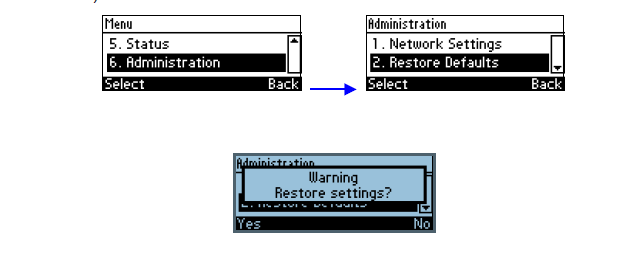
- Sur l'interface web:
Aller chercher l'option dans Management > Administration > Restore Defaults:

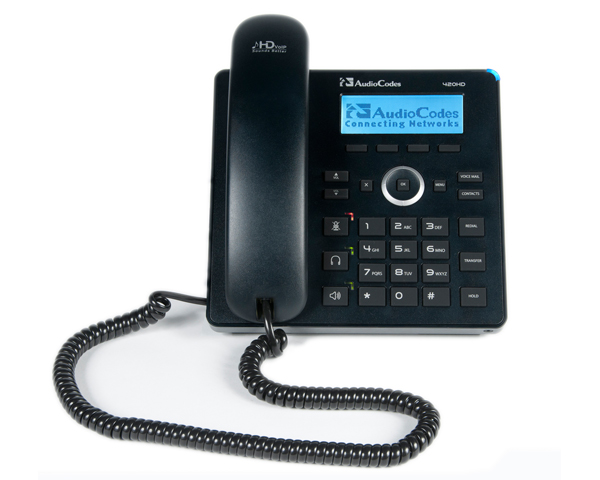
Pour diverses raisons, tests, pilotes, prêt de téléphones ou vous avez besoin de mettre à jour le micro logiciel d'un téléphone SNOM vers la version UC Edition, vous pouvez utiliser Pumpkin si le téléchargement directement à partir du lien internet échoue avec l'erreur « File not found ».
Téléchargement de Pumpkin ici: http://kin.klever.net/pumpkin/#.VExMgMkgA00
Fonctionnalités de Pumpkin:
Téléchargement du firmware SNOM UC Edition ici: http://www.snom.com/en/your-personal-menu/snom-uc-edition-firmware-center/snom-uc-edition-front-desk/
Renommer le fichier au format suivant (exemple):
Lancer l'application:
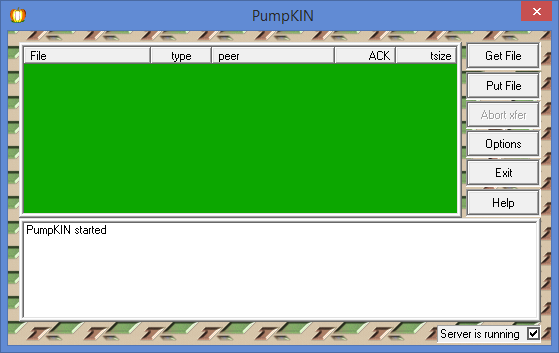
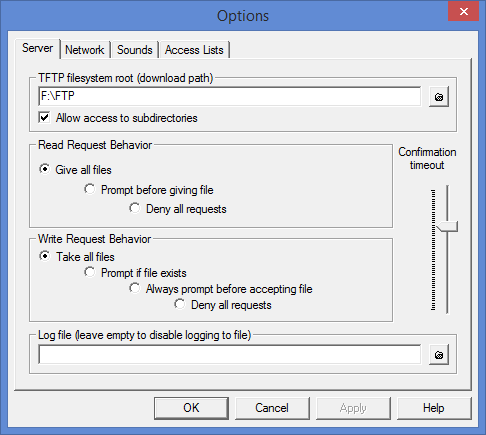
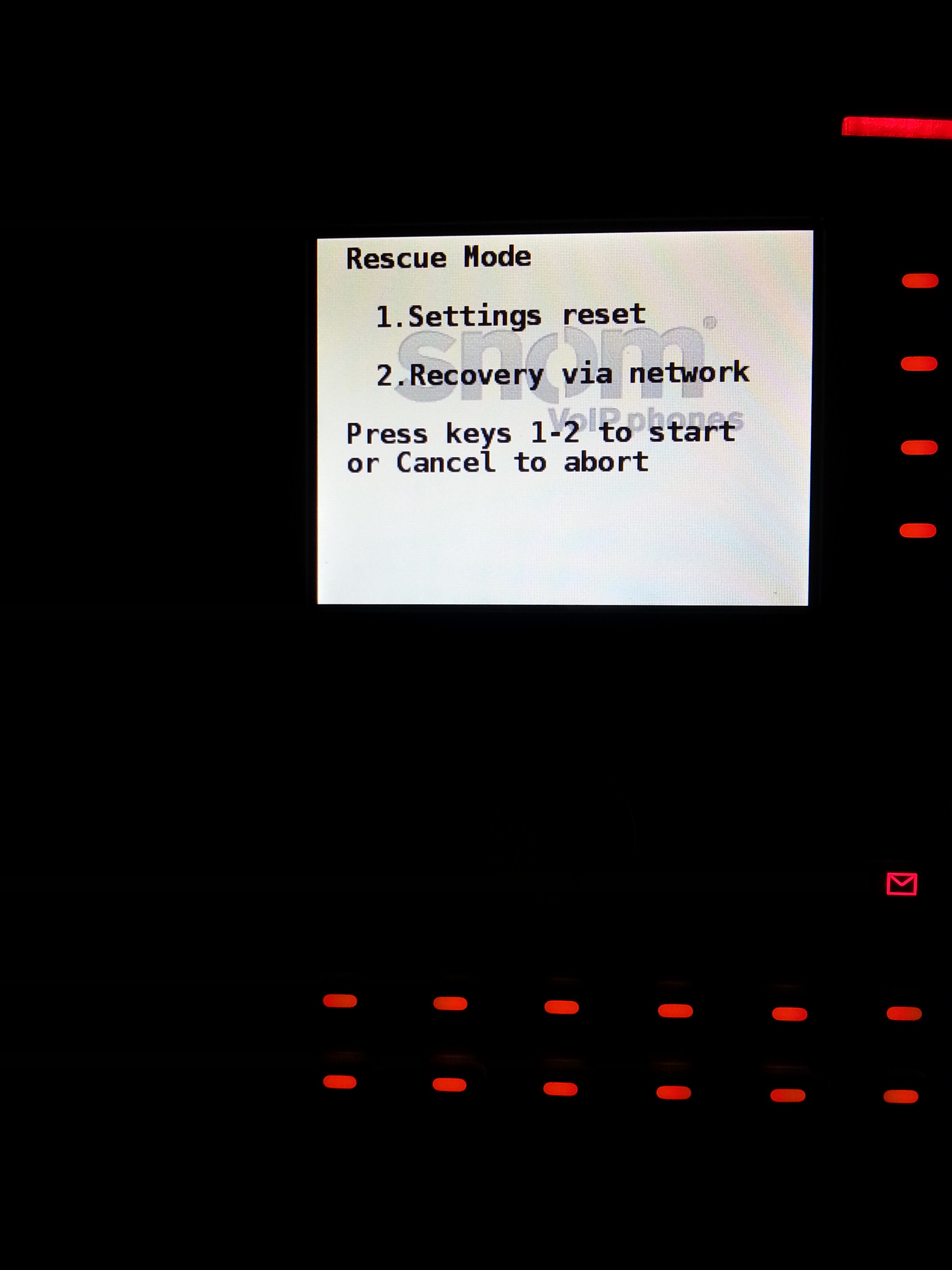
Allumer le téléphone en restant appuyer sur la touche # jusqu'à l'apparition du mode "Rescue mode";
Presser 2 Recovery via Network;
Préciser les paramêtres réseaux et l'ip de votre serveur ftp Pumpkin:
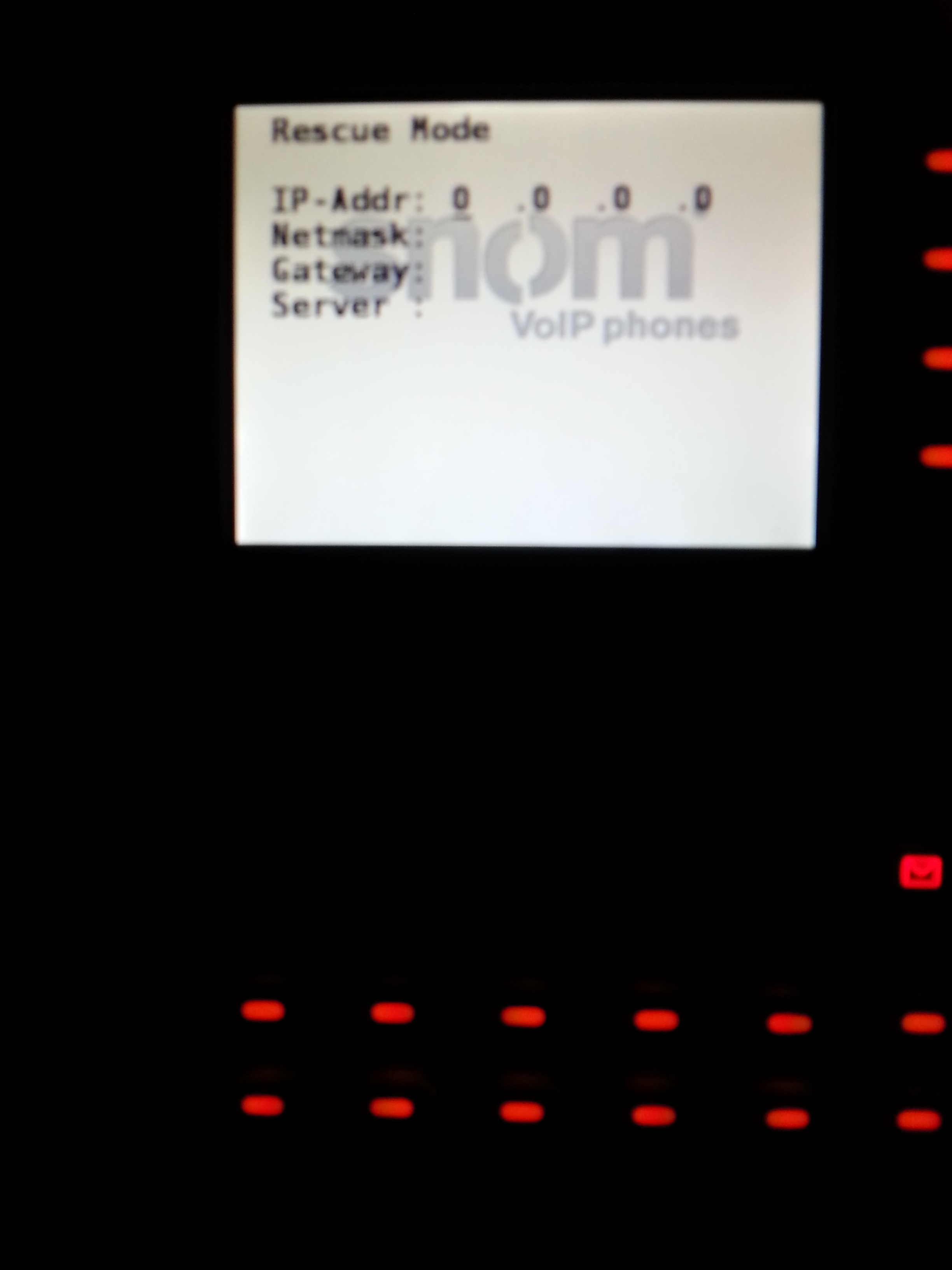
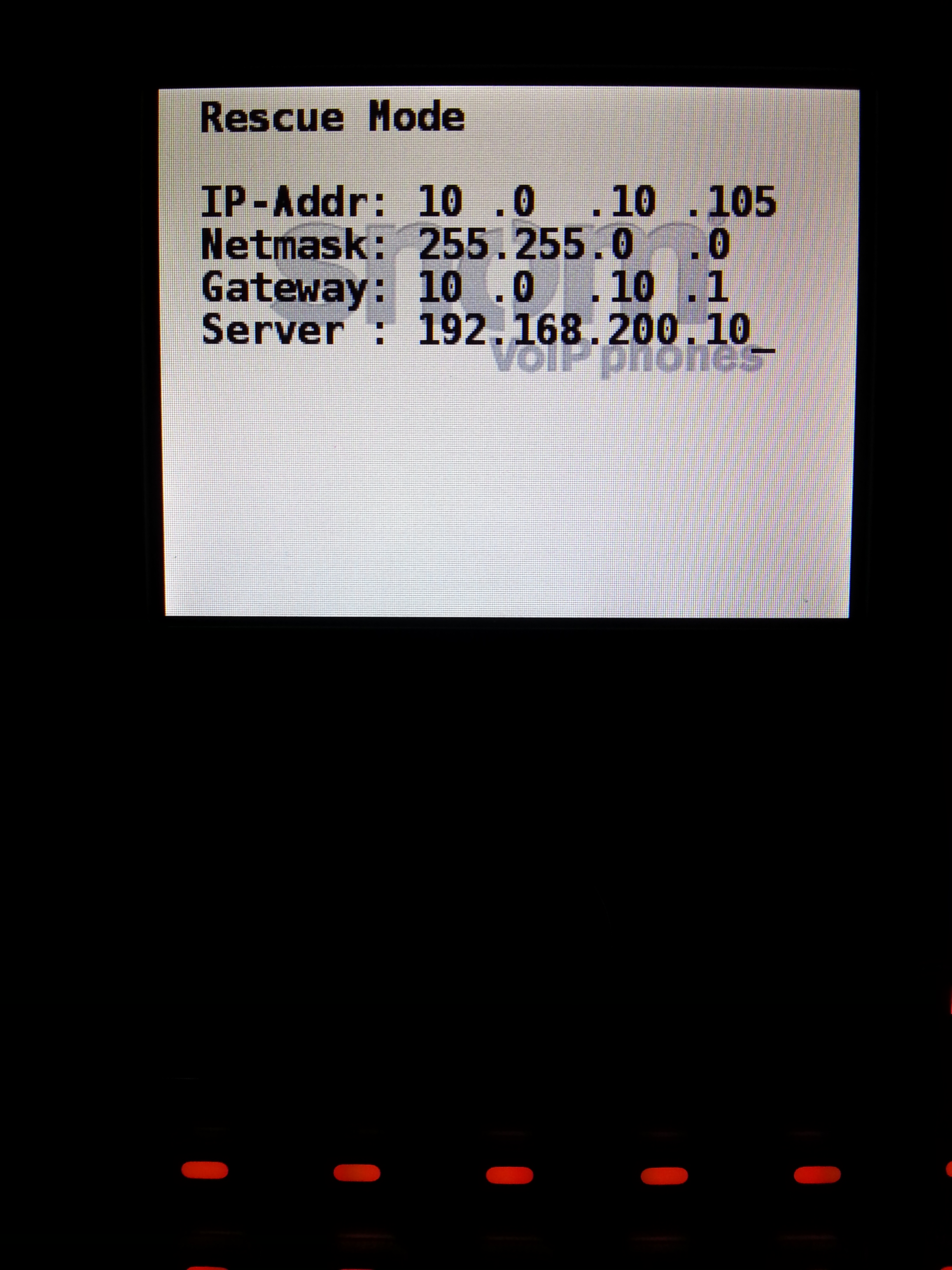
Choisir l'option 3
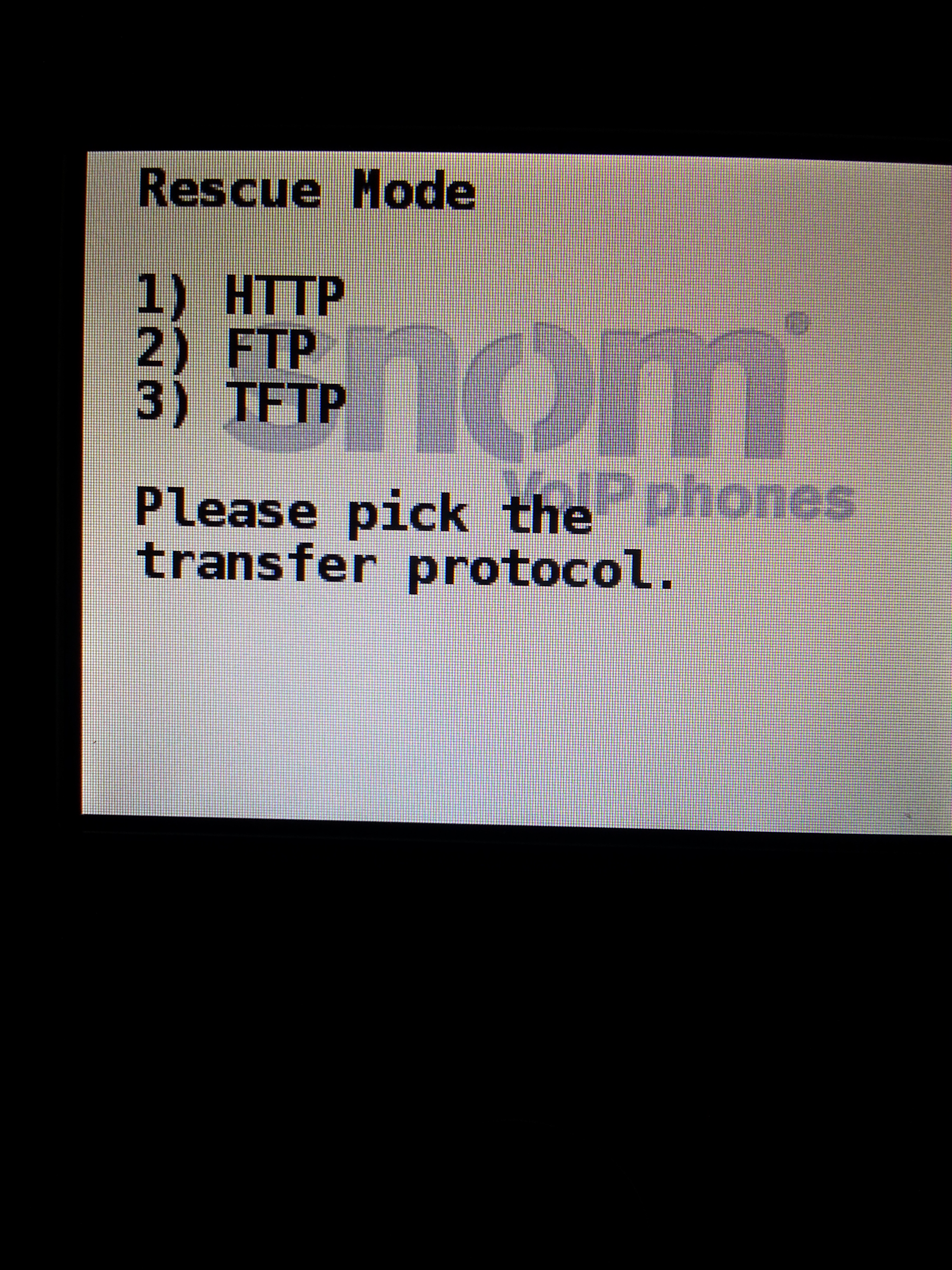
Téléchargement du firmware